Figma to code with AI: I wrote 237 prompts so the neural network would stop guessing the design

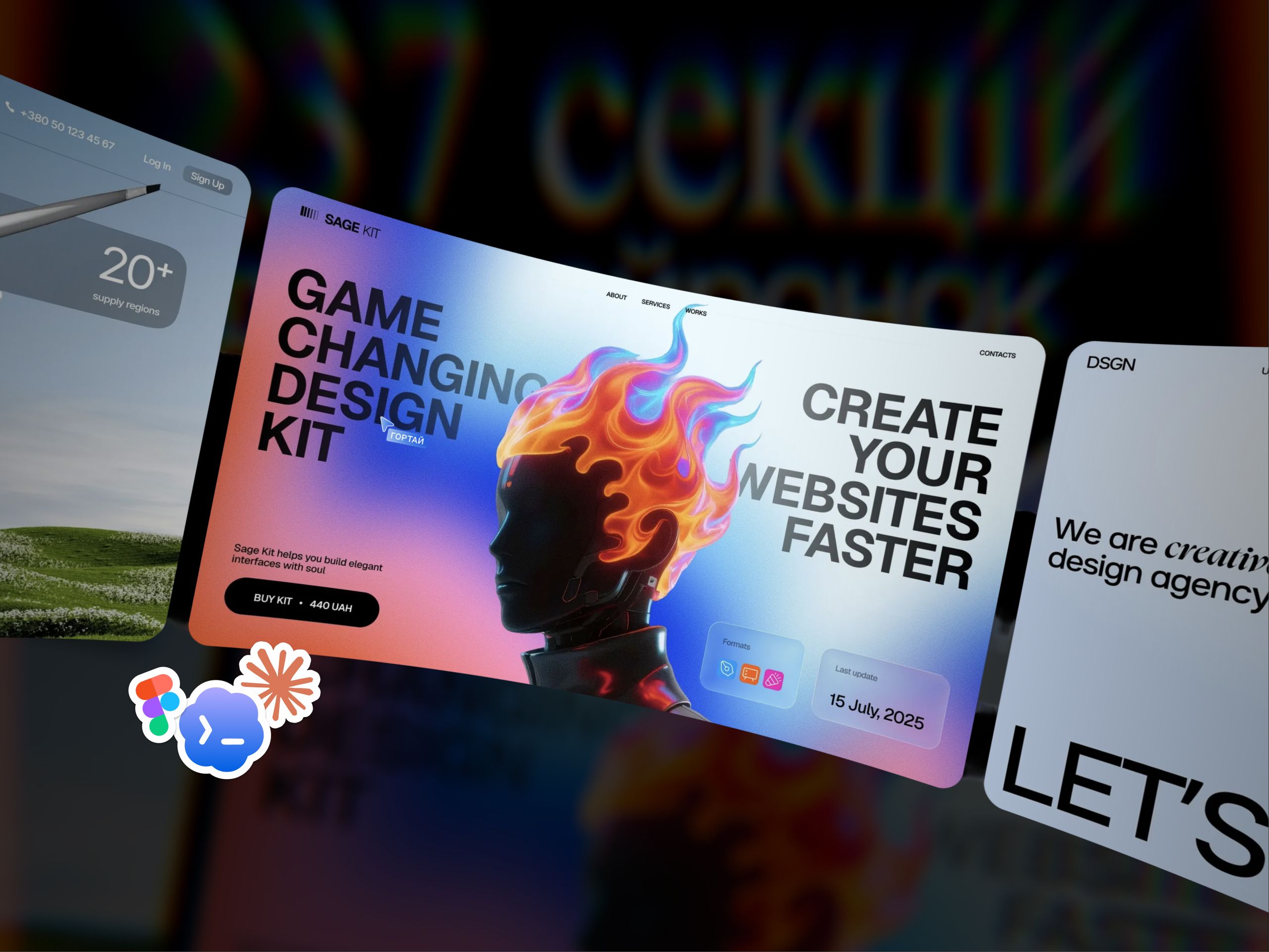
How my Figma kit became instructions for Claude, Cursor and Lovable, and what an honest "mockup versus code" test revealed.
A neural network writes code in a minute, but without a mockup it guesses the design. Using the Hero 06 section, I show how a precise prompt carries a Figma mockup into responsive code, where it goes wrong, and how to assemble a landing page with AI that doesn't look generic.
Table of contents
- Where the idea came from
- What Sage AI-Kit is
- Why a landing page from a neural network looks like AI slop
- How a prompt for a website section is built
- The test: Figma design vs. code from the prompt
- How to turn a Figma design into code with AI: 5 steps
- What's inside the kit
- Which AI tool to pick for a landing page
- Who it's for, and who it isn't
- How much Sage AI-Kit costs
- Questions and answers
Where the idea came from
Designers have been buying my Figma kits for a while, and one thought kept coming up in reviews: a kit isn't there to be copied, it's there to give you something to build on. One review put it simply: "I take some screen as a base and refine it, and I end up with something new."
Then the way sites get built itself changed. Today a design is increasingly not redrawn by hand but handed to a neural network: "make me a block just like this one." And it turned out the neural network writes code brilliantly but reads design from an image poorly. It guesses, and a guess is always just an average.
I can't even remember the last time I made anything at all without neural networks.
So I decided to give the neural network what it was missing: not an image, but a precise instruction. That's how an ordinary section kit became Sage AI-Kit.
What Sage AI-Kit is
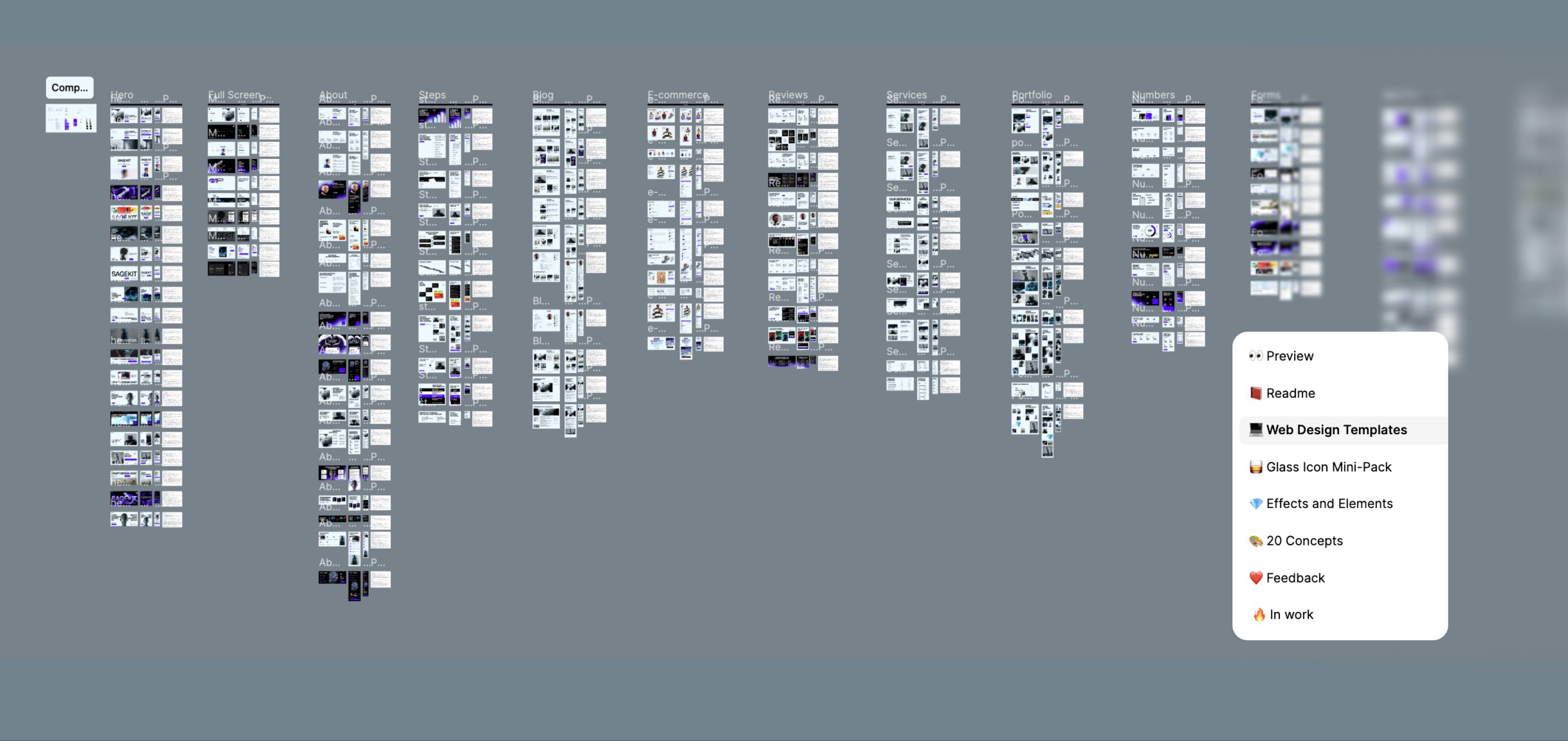
Sage AI-Kit is a Figma file with 237 responsive website sections, and each section has its own AI prompt. The prompt describes the section for desktop, tablet and mobile with exact fonts, colors and spacing. That's why the neural network reproduces this exact design in code instead of inventing its own.
Why a landing page from a neural network looks like AI slop
Ask a neural network to "make a landing page for a coffee shop," and you'll almost certainly get the same set: a hero with a gradient, three benefit cards, centered headlines. That result is called AI slop. It's not broken, it just belongs to no one: the page looks like hundreds of others and nothing about it sticks.
It's like ordering a suit from a tailor by saying "something businesslike." They'll make it, but to an average pattern. A prompt with measurements works like actual measurements: grid, font size, spacing, mobile behavior. The more precise the measurements, the less the neural network has to guess.
How a prompt for a website section is built
Here's the full prompt for the Hero 06 section. It's written in English and consists of five parts, each one closing off a mistake the neural network would otherwise make.
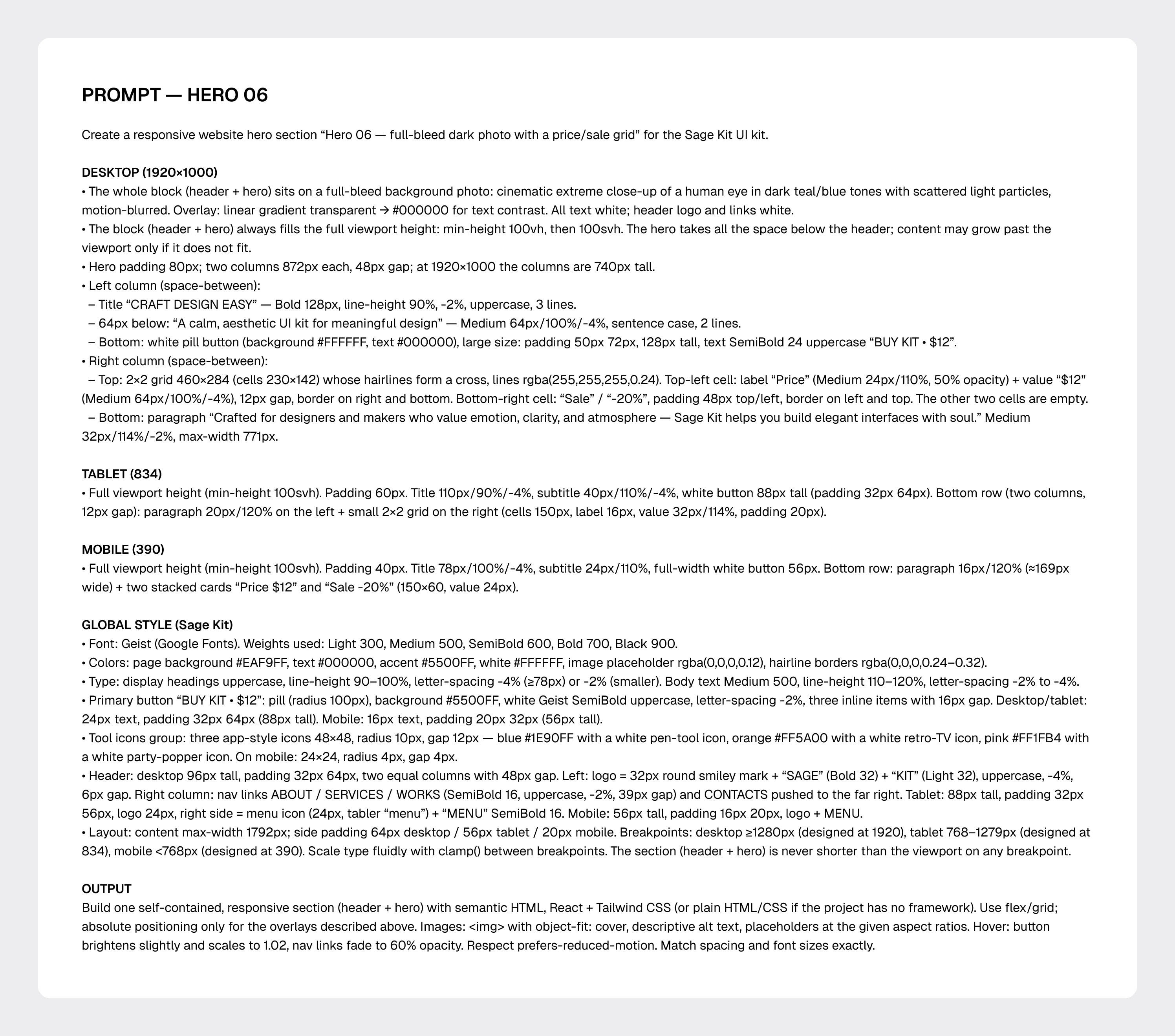
- The first line says what kind of section this is: "full-screen dark photo with a price and discount grid." The neural network immediately gets the genre and doesn't invent extras.
- DESKTOP (1920×1000) gives the measurements: two columns of 872 px each, 48 px gap between them, a Bold 128 px heading in three lines, a 2×2 grid with thin lines.
- TABLET (834) and MOBILE (390) describe what happens to that same section on narrower screens. Without these blocks the neural network invents the responsive layout on its own, and that's exactly where things tend to fall apart.
- GLOBAL STYLE is the same across all sections in the kit: Geist font, colors #EAF9FF and #5500FF, buttons, header, breakpoints. That's why sections from different categories come together into one site instead of a collage.
- OUTPUT explains what the code should be: semantic HTML, React and Tailwind (or plain HTML/CSS), hover states, respecting the "reduce motion" setting. This is exactly what a developer will ask about later on a real project.
The test: Figma design vs. code from the prompt
Before selling the kit, I tested the prompt on myself. I took Hero 06, fed its prompt to a neural network (Claude, in my case) and asked it to build the section in plain HTML and CSS. I later swapped the photo in the design for my own, to see how the section would hold up with someone else's content.
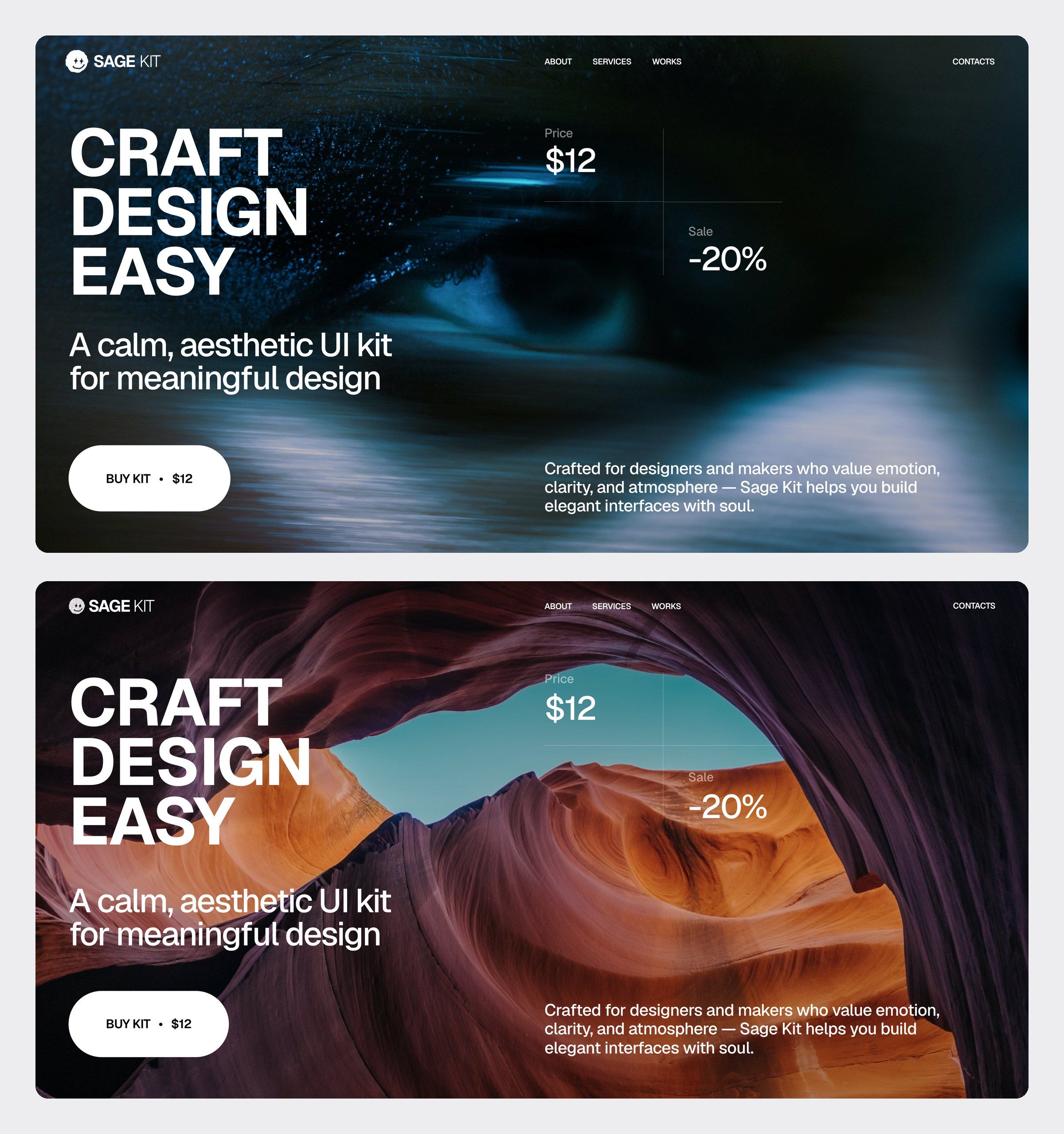
On desktop, the essentials matched: two columns, the "CRAFT DESIGN EASY" heading in three lines, the price and discount grid with thin lines, the white button and the header.
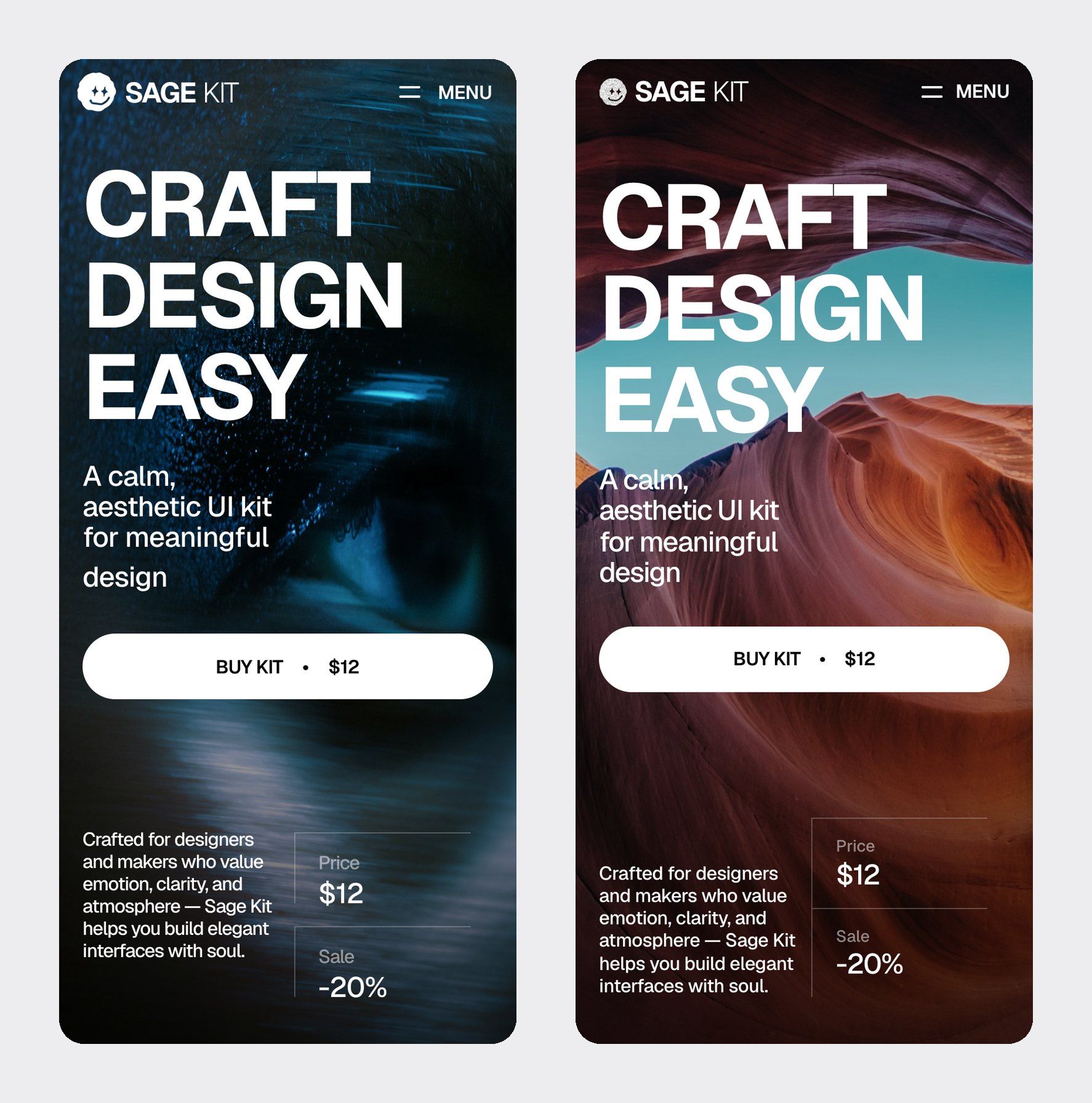
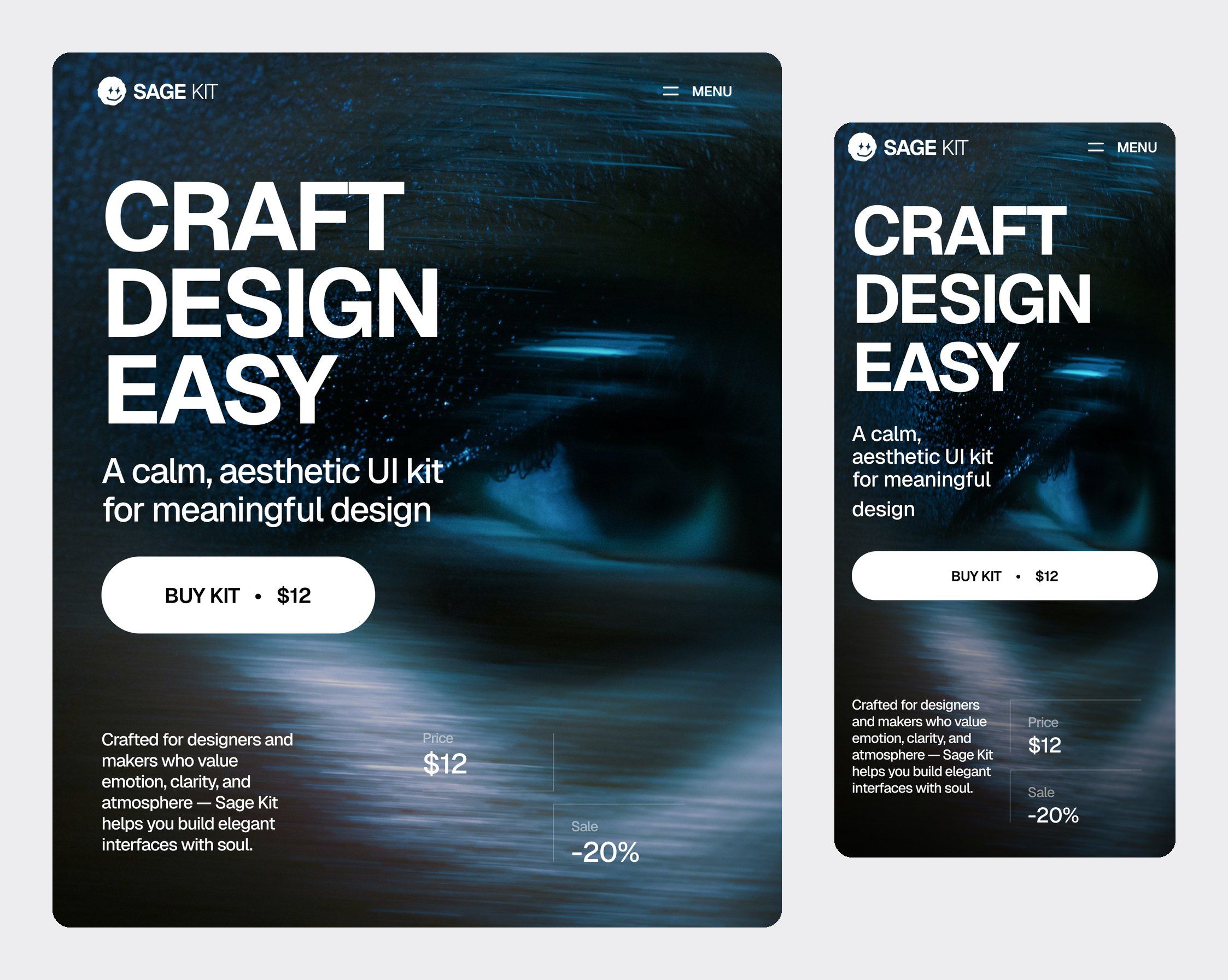
But the tablet and phone test revealed weak spots in the prompt itself. The design had details the description didn't mention: the paragraph width on tablet, the lines on the price cards on phone, a different photo overlay darkness. The neural network made smart choices, but its own choices.
The most important thing I took from this test:
- Whatever isn't in the prompt isn't in the code. The first version never said the hero had to fill the full height of the window, and the code didn't do it. I added that rule to the Hero 06 prompt.
- The neural network doesn't know what photo you'll use. When I swapped the dark photo for a canyon with a bright sky, the price and discount labels became unreadable, and I had to add an overlay on top. Always check text contrast after replacing images.
- You need to eyeball the responsive layout at three widths: 1920, 834 and 390. That's exactly where the small discrepancies live that you can't see on desktop.
How to turn a Figma design into code with AI: 5 steps
- Pick a section in the Figma file. There are 237 of them across 21 categories: from the hero and menu to pricing, FAQ and footer.
- Copy the prompt sitting next to the section. You don't need to add anything, but you can drop in your own text right away.
- Paste the prompt into your AI tool of choice: Claude Code, Codex, Cursor, Lovable, v0, Bolt or Figma Make.
- Check the result at three widths (1920, 834 and 390 px) and compare it with the Figma design. The prompt already describes all three, so there's no need to ask separately for a responsive version.
- Swap in your own photos and text, check the contrast, and move on to the next section. The global style is shared, so the sections fit together seamlessly.
What's inside the kit
- 237 unique sections and 237 AI prompts, one for every section.
- 20 styles and 21 categories: hero sections, full-screen menu, about us, steps, blog, e-commerce, testimonials, services, portfolio, numbers and stats, forms and CTAs, pricing, gallery, logos, team, careers, FAQ, program, event lists, footers and headers.
- Every section is responsive: desktop, tablet and mobile.
- Text styles, variables, components and Auto Layout in Figma, so you can edit a section like a regular layout, not like a picture.
- Free updates: new sections and prompts get added to the same file.
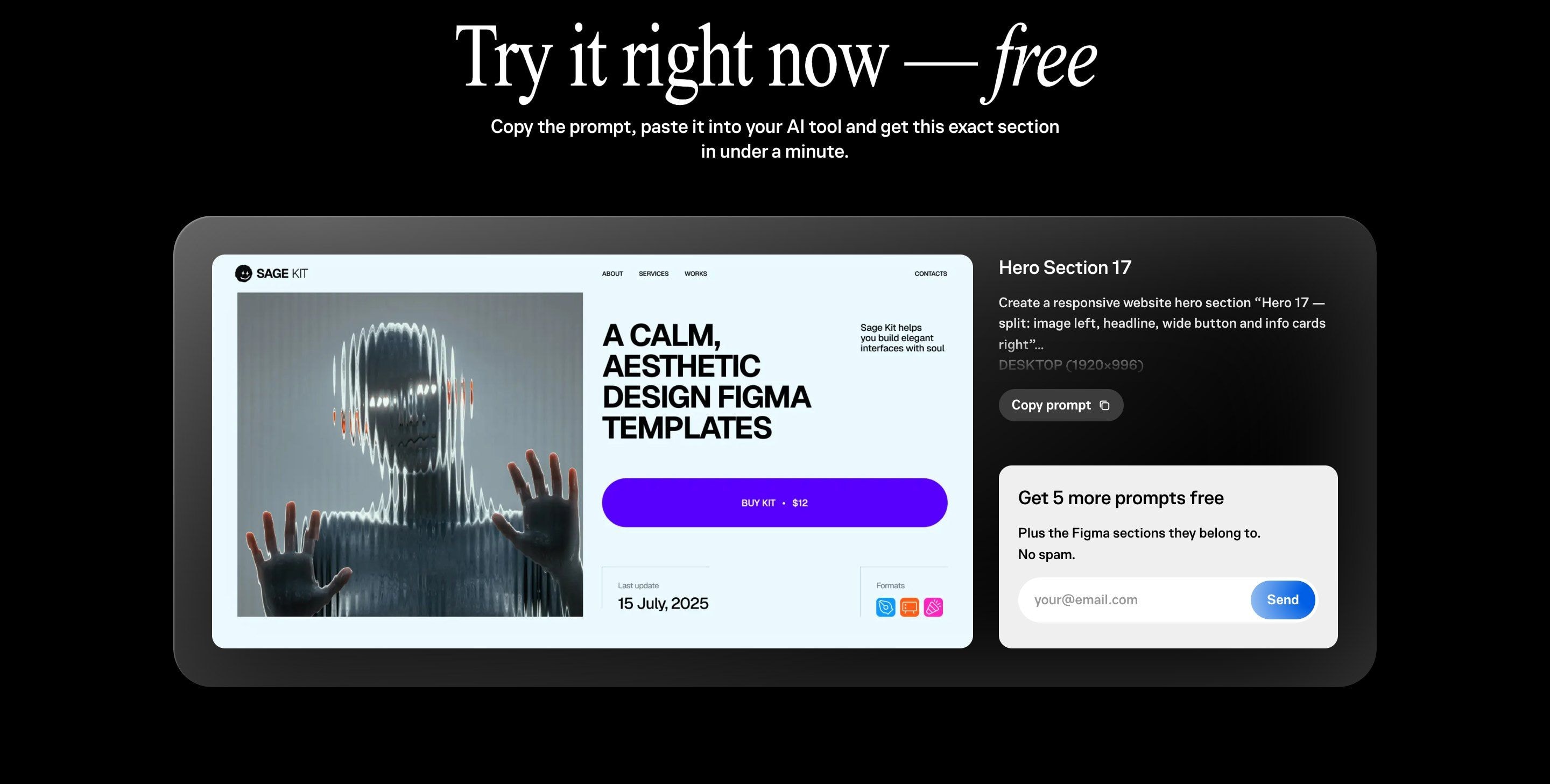
You can test the approach before buying. The kit page has the full prompt for the Hero 17 section with a "Copy prompt" button, and 5 more prompts along with their sections in Figma arrive by email.
Which AI tool to pick for a landing page
The prompts are written for any modern neural network that writes code. The difference between tools isn't design quality, it's where you work:
- Lovable, v0 and Bolt build the page right in the browser and show it instantly. The simplest start if you don't code.
- Figma Make works inside Figma: convenient if you're a designer and don't want to leave your working tool.
- Cursor is a code editor with AI. Good if you edit code yourself and want to see every change.
- Claude Code and Codex work right in your project and create files themselves. My pick when the site already exists in code and I need to build a section into it.
Who it's for, and who it isn't
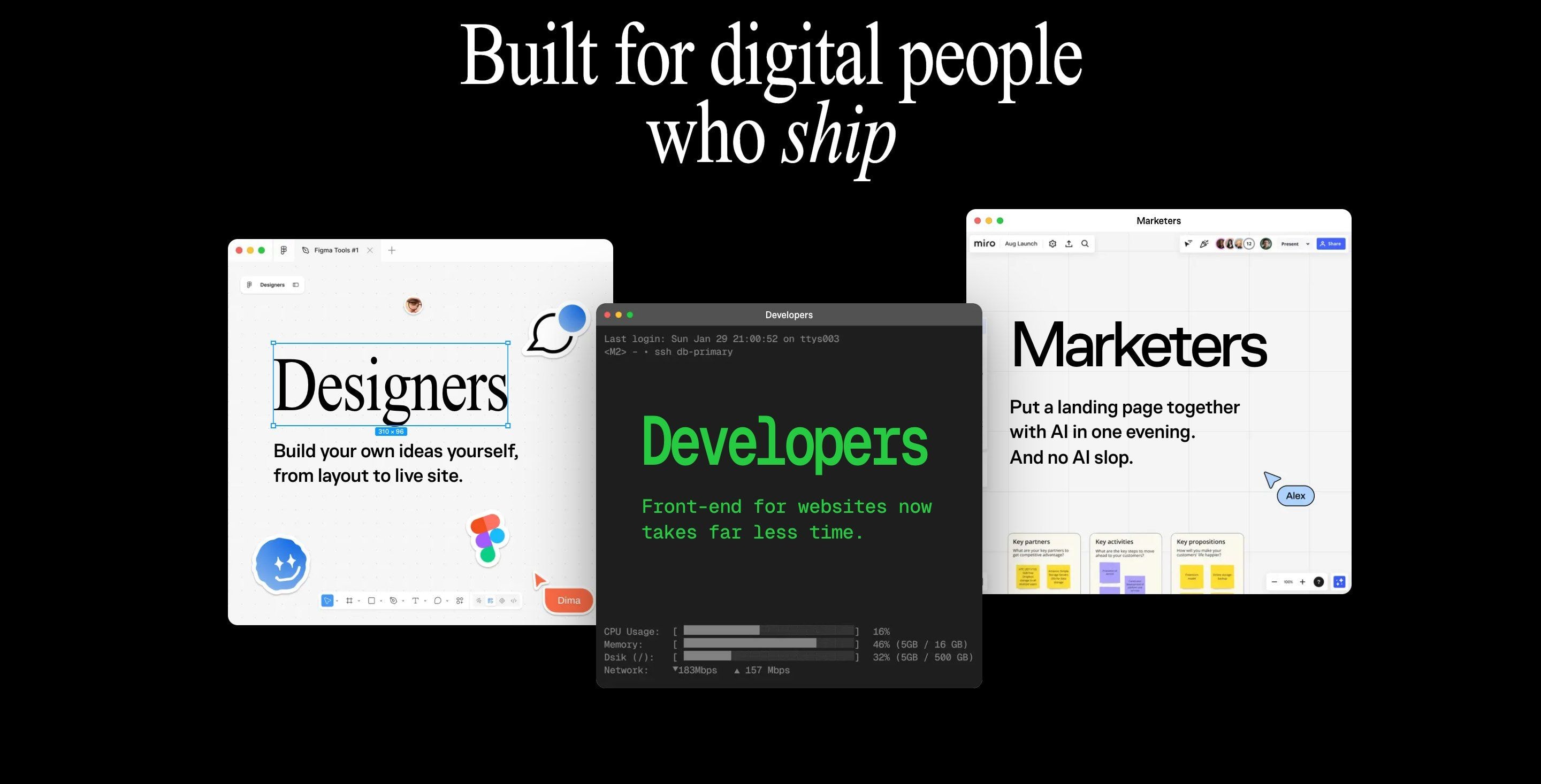
- Designers who want to take an idea from mockup to live site themselves, without waiting in line for a developer.
- Developers who are tired of building the same standard sections from scratch.
- Marketers and business owners who want to put together a landing page with AI in an evening and not be embarrassed to show it.
Honestly, about the limits: the kit won't replace thinking through your product. If you have a complex site with logic, integrations, a user account or a CMS, the sections will give you the base of the interface, but you'll still need to build the structure, copy for your audience and the technical part yourself. For projects like that, I work with clients directly, and you can discuss it here.
How much Sage AI-Kit costs
As of October 2026, the kit costs 490 UAH, a one-time payment, no subscription. The price includes all 237 sections and prompts, free updates forever, and a commercial license for an unlimited number of client and personal projects.
Access arrives right after payment by card, Apple Pay or Google Pay. If the kit doesn't work out for you, you can get a refund within 14 days.
Questions and answers
What is an AI prompt for a site section?
It's a text description of a section for a neural network: grid, sizes, fonts, colors, spacing and behavior on desktop, tablet and mobile. The more precise the description, the closer the code gets to the mockup, which is why the prompts in Sage AI-Kit are written with exact values from Figma.
Does the code match the mockup exactly?
Almost. In my test of the Hero 06 section, the grid, fonts and sizes on desktop matched the mockup, but small details on tablet and phone had to be checked against the mockup. After swapping in a photo, it's worth checking text contrast.
Can you move a design from Figma to code without a developer?
Yes, for individual sections and simple landing pages. Paste the prompt into Lovable, v0 or Bolt, and you get a working section without a single line of code. For a site with a CMS, forms, integrations or a user account, you still need a developer.
Which AI tool should I pick to build a landing page?
If you don't code, start with Lovable, v0 or Figma Make: they show the result right away. If you work with code, Cursor, Claude Code or Codex are more convenient, since they write directly into your project. Sage AI-Kit prompts work with all of them.
Why are the prompts written in English?
The sections in the mockups are written in English too, so the prompt and the mockup speak the same language. The copy on the site, though, can be in any language: just swap it in the prompt or directly in the finished code.
Can I use the sections in client projects?
Yes. The commercial license allows an unlimited number of client and personal projects. The only thing you can't do is resell or give away the kit itself.